


resources
Cities Skylines Android: Your Ultimate Guide to Building on the Go
15 Apr 2026

So, you're looking to build a city right from your phone, aren't you? Perhaps you've heard about the acclaimed Cities: Skylines and wondered if that immersive experience could be replicated on your Android device. Well, the direct answer, as often happens, is a bit nuanced. You can't simply download the full, robust Cities: Skylines game onto your Android phone as you would a typical mobile application. However, don't let that dampen your urban planning aspirations! There are still plenty of excellent avenues to satisfy that city-building itch on the go, and we're about to delve into all of them, from compelling similar games to ingenious workarounds. Let's get building!
Key Takeaways
- Cities: Skylines is not currently available as a native application for Android devices, primarily due to significant hardware and interface demands.
- Fortunately, several excellent alternative city-building games are available on Android, providing comparable and engaging gameplay experiences.
- SimCity BuildIt offers a familiar, accessible free-to-play option, consistently updated with fresh content.
- Pocket City distinguishes itself as a premium, offline, and more in-depth simulation, notably free from ads or in-app purchases.
- Cloud gaming services present a powerful potential method to stream and interact with desktop versions of demanding games like Cities: Skylines directly on Android devices.
Understanding the City Skylines Android Landscape

Let's address the elephant in the room straight away: if your goal is to download the complete, PC version of City Skylines directly onto your Android phone or tablet via the Google Play Store, you'll find yourself out of luck. This particular game, renowned for its intricate simulation mechanics and highly detailed graphics, was fundamentally designed for more powerful hardware, specifically desktop computers and dedicated gaming consoles. It simply isn't an application you can install as you would a standard mobile app—at least not in its native form.
Native Android Availability
The official City Skylines game, in its comprehensive form, is not available as a native application on the Android platform. This crucial point means there isn't a direct download from the Google Play Store that delivers the full PC experience to your mobile device. The game's developers, Paradox Interactive, have not yet released a dedicated mobile version. While this might initially feel like a disappointment, there's no need to pack up your blueprints just yet. The mobile gaming landscape is constantly evolving, and numerous other avenues exist to fulfill your city-building desires.
Hardware and Interface Challenges
Even if a dedicated mobile port were to be developed, adapting a game as detailed and complex as City Skylines for a mobile device presents significant hurdles. Mobile phones and tablets, by their very nature, possess different processing capabilities and screen sizes compared to PCs. Developers would need to undertake a substantial effort to adapt the game's intricate controls and demanding graphics to function optimally on touchscreens and smaller displays. Can you imagine, for instance, attempting to manage sophisticated road networks or meticulously place buildings with merely your finger? It's indeed a vastly different ballgame.
Mobile devices have undeniably made tremendous leaps in raw processing power, but the demands of a truly deep simulation game like City Skylines remain substantial. Adapting such a title for a touch-centric interface and comparatively limited processing power—without sacrificing its core appeal—is a significant technical challenge.
Market Demand and Developer Interest
Despite the current absence of a native Android version, the robust popularity of city-building games on mobile platforms is abundantly clear. Titles like SimCity BuildIt and Pocket City have unequivocally demonstrated that a large, engaged audience exists for this genre on Android. The question, then, becomes whether this translates into sufficient interest for Paradox Interactive to invest the substantial resources required to develop and maintain a dedicated mobile iteration of City Skylines. Ultimately, it's a strategic business decision involving a careful weighing of significant development costs against potential profits. For now, the primary focus appears to remain on PC and console versions, but the market is dynamic, and who knows what future innovations, perhaps inspired by vibrant metropolises like Shanghai, might bring to urban planning simulations?
Exploring Alternatives to City Skylines on Android
So, you've got your Android device at the ready, poised to construct a sprawling metropolis, but the official City Skylines isn't directly available in the app store. That's a bit of a letdown, I understand. It feels rather like wanting to bake a grand cake only to discover you're missing the main ingredient. Yet, there's no need to stow away your virtual hard hat just yet! The realm of mobile city-building is surprisingly rich and diverse, offering several fantastic games that can readily satisfy that city-planning itch. Consider these compelling alternatives as your foundational steps toward becoming a mobile mayor.
SimCity BuildIt: A Familiar Mobile Experience
If the iconic name SimCity rings a bell, then you're certainly on the right track. SimCity BuildIt represents the official mobile adaptation of the legendary series. It's arguably the most widely recognized option available, and for very good reason. This game delivers a quite robust city-building experience, meticulously fine-tuned for intuitive touchscreen interaction. You'll find yourself zoning areas for residential, commercial, and industrial development, diligently managing essential services like power and water, and, of course, striving to keep your virtual citizens content by providing crucial amenities such as police and fire departments. Being free to download is a significant advantage, though it does incorporate in-app purchases. The game receives consistent updates, ensuring there's usually fresh content to engage with. It strikes an excellent balance, skillfully blending detailed city design with thoughtful resource management.
Pocket City: Premium Offline Simulation
For those who decidedly prefer a more premium, no-frills approach, Pocket City emerges as a truly standout choice. Unlike a multitude of free-to-play titles, this one is acquired via a one-time purchase, granting you access to the entire experience completely devoid of any advertisements or microtransactions. This means you can devote your full attention to building your city without constant prompts to spend real-world money. Pocket City particularly excels with its offline capabilities; an internet connection isn't required to play, which is absolutely ideal for commutes or regions with unreliable Wi-Fi. It offers a surprisingly deep simulation, featuring realistic traffic management, nuanced zoning, and comprehensive service provision. In many ways, it feels remarkably like a traditional PC city-builder skillfully scaled down for your phone.
TheoTown: Retro Charm and Deep Gameplay
TheoTown presents a distinct aesthetic, leaning into a charmingly retro, pixelated visual style. However, do not allow the simpler graphics to mislead you; this game packs a serious punch in terms of gameplay depth. It is highly customizable, empowering you to construct intricate road networks, manage complex public transport systems, and even contend with various natural disasters. TheoTown also boasts a vibrant community aspect, enabling players to share their meticulously crafted cities and download custom content created by others. It's a game that genuinely rewards thoughtful planning and offers considerable freedom to construct precisely the kind of city you envision, whether that be sprawling suburbs or incredibly dense urban centers.
While these games undeniably offer compelling city-building experiences on Android, it's important to remember that each possesses its own unique mechanics and progression systems. Therefore, trying out a few options is certainly worthwhile to discern which one best aligns with your personal playstyle and what you seek in a mobile simulation.
Leveraging Cloud Gaming for Mobile City Building
So, you're absolutely itching to build a sprawling metropolis on your Android device, but the full-blown City Skylines experience seems just out of reach? Don't even think about packing up your blueprints just yet. There's an incredibly clever workaround that allows you to tap into the formidable power of PC gaming right from your phone or tablet: cloud gaming services. Imagine it as having a super-powered computer residing in the cloud, effortlessly streaming its capabilities directly into your pocket.
How Cloud Gaming Works
In essence, cloud gaming services provide you with rented access to a potent gaming computer, strategically located in a distant data center. When you initiate a game through one of these services, you're not actually running the software on your phone. Instead, the game executes on that remote server, and what you perceive on your screen is merely a live video stream of the gameplay. Your inputs—such as taps, swipes, or button presses—are promptly transmitted back to the server, instructing it on your desired actions. This innovative approach means that even a less powerful mobile device can competently run graphically demanding and highly complex games. The indispensable ingredient for this technological marvel to function seamlessly, however, is a robust internet connection. Without a fast and consistently stable link, you are quite likely to encounter frustrating lag and stuttering, which can genuinely detract from your ambitious city-planning endeavors.
Popular Cloud Gaming Services
Several prominent services now offer this sophisticated remote gaming experience, each with its own distinct operational model:
- Nvidia GeForce Now: This stands out as a particularly popular choice if you already own City Skylines on established PC platforms like Steam or the Epic Games Store. GeForce Now empowers you to stream games you've already purchased, effectively extending your PC game library to your mobile device. It's an excellent solution if you've already invested in the PC version.
- Xbox Cloud Gaming (xCloud): Integrated as a core component of the Xbox Game Pass Ultimate subscription, this service grants you access to a regularly rotating library of games, all streamed directly to your device. While City Skylines might not be on the current list, game libraries are dynamic, so it's certainly worth monitoring for future additions.
- Shadow: This service takes the concept a significant step further by offering a full, dedicated cloud-based PC. You essentially rent a virtual Windows machine residing in the cloud, which then allows you to install and play almost any game imaginable—including City Skylines—just as you would on a physical desktop computer. It provides the utmost flexibility but typically comes with a comparatively higher price point.
Cloud gaming is rather like borrowing a friend's incredibly powerful gaming rig. You gain the distinct advantage of playing the latest and greatest games without the substantial upfront investment in expensive hardware yourself. Crucially, the quality of this experience truly hinges on your internet speed and your geographical proximity to the service's underlying servers.
Requirements for Cloud Streaming
To fully optimize your cloud gaming experience for a complex simulation such as City Skylines, you'll need to ensure you have a few critical components:
- A Fast and Stable Internet Connection: This particular requirement is non-negotiable. Aim for a minimum of 15-20 Mbps download speed, and ideally, opt for a wired Ethernet connection or a consistently strong Wi-Fi signal. Any significant fluctuations in speed will directly and negatively impact your gameplay performance.
- A Compatible Controller (Highly Recommended): While some cloud services do offer rudimentary touch controls, it's vital to remember that City Skylines was fundamentally designed for mouse and keyboard input. Utilizing a Bluetooth controller that effectively mimics a keyboard and mouse setup can dramatically enhance your control precision and significantly reduce potential frustration.
- A Subscription to the Service: Most reputable cloud gaming platforms operate on a subscription-based model. You will typically need to pay a recurring monthly fee to gain access to their powerful servers and robust streaming capabilities.
- Ownership of the Game: For services such as GeForce Now, it's important to note that you still need to own the actual game on a supported PC storefront (e.g., Steam). For more comprehensive services like Shadow, you'll simply install the game yourself onto your cloud-based PC after subscribing.
Mastering Mobile City Building: Essential Strategies
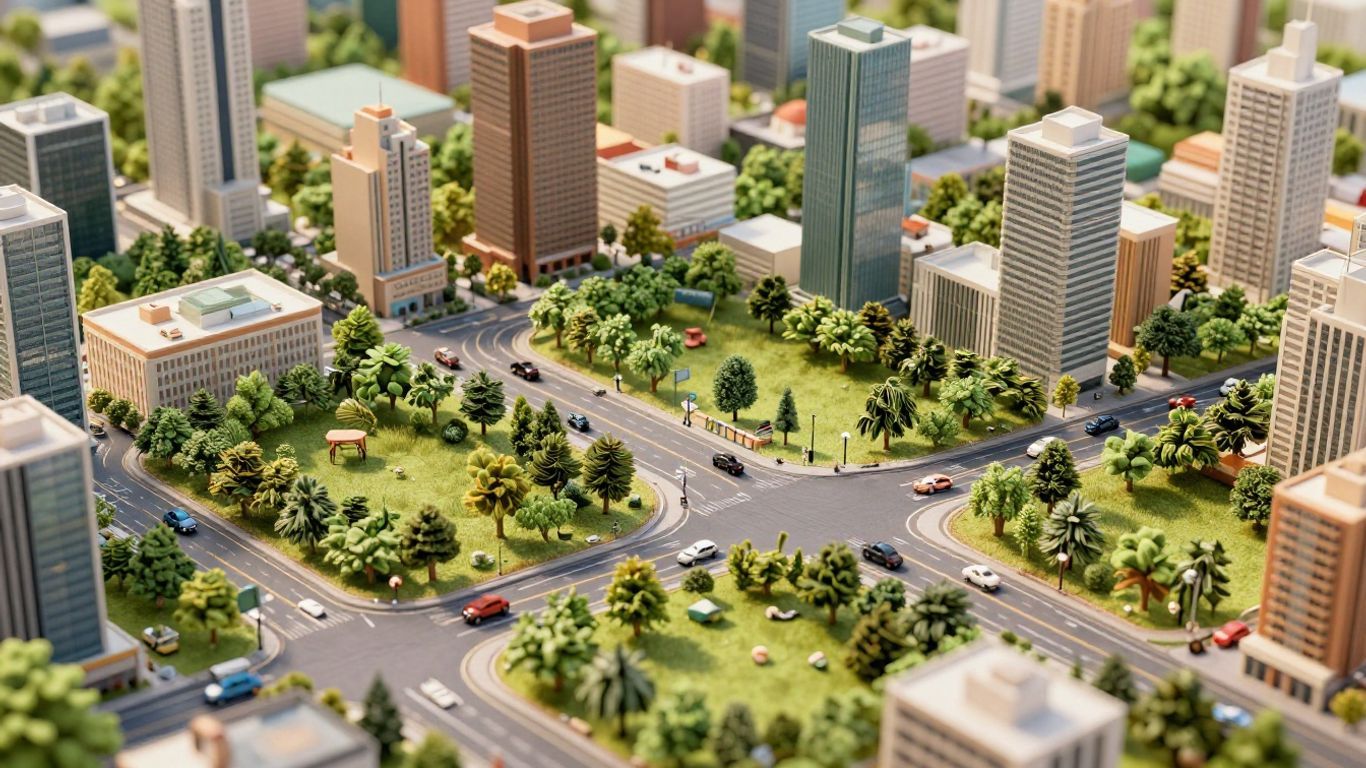
Building a bustling metropolis on your phone or tablet might feel a tad different from orchestrating it on a powerful PC, but at its core, the underlying principles remain remarkably similar. It's truly all about intelligent planning, maintaining a sharp eye on your finances, and, naturally, ensuring your virtual citizens are happy campers. Let's delve into how you can truly excel at this endeavor.
Effective Planning and Layout Techniques
Getting the city's layout correct right from the outset makes an enormous difference. Crucially, think critically about how your roads will connect and precisely where you'll designate different zones. It's incredibly easy to get carried away and simply zone every available plot of land, but a bit of initial forethought goes an impressively long way.
- Begin with a simple, functional road network. Resist the urge to construct an overly complex highway system immediately. A basic grid or a few well-placed main thoroughfares will suffice perfectly in the early stages.
- Zone areas thoughtfully and strategically. Always aim to keep residential districts comfortably separated from noisy industrial zones. Commercial areas, conversely, typically thrive when situated near homes and major roads.
- Actively consider traffic flow. Your city's roads are its vital arteries; if they become chronically clogged, everything grinds to a halt. Strive to establish multiple routes and judiciously avoid creating dead ends wherever feasible.
It’s undeniably tempting to simply place buildings wherever they might fit, but taking a moment to sketch out even a mental rough plan can spare you a multitude of headaches later on. Think proactively about where your power lines and water pipes will ultimately run, and crucially, how you intend to expand your city over time.
Smart Resource and Budget Management
Your city's finances function much like a real-world municipal budget. You absolutely require sufficient income to cover your recurring expenses, and if you spend too aggressively or too quickly, you'll inevitably find yourself in considerable financial distress.
- Maintain a careful balance between income and expenses. Keep a vigilant eye on your tax revenue versus the ongoing costs of essential services such as power generation, water supply, and waste disposal.
- Avoid overspending on services, especially in the early stages. A fledgling city with only a few hundred citizens simply doesn't necessitate a massive police force or multiple fire stations. Introduce and expand services progressively as your population robustly grows.
- Adjust taxes with prudence and precision. While raising taxes can undeniably generate more revenue, it can also significantly diminish citizen happiness. Conversely, lowering them might boost morale but potentially strain your budget.
Prioritizing Citizen Happiness and Services
Happy citizens are, by definition, productive citizens. They are more inclined to pay taxes diligently, and your city will flourish more effectively when its populace is genuinely content.
- Provide essential services consistently. Ensure that every citizen has reliable access to clean water, electricity, and efficient waste disposal. These are, quite frankly, non-negotiable foundations for urban well-being.
- Offer appealing amenities. The strategic placement of parks, schools, and healthcare facilities makes a substantial difference. These enhancements significantly improve the overall quality of life and can even appreciably boost local land values.
- Keep crime rates and fire risks low. Construct police and fire stations strategically to provide adequate coverage for all your populated areas. An undeniably safe city is, almost by definition, a happy and thriving city.
The Future of City Skylines on Mobile Platforms
So, what exactly lies ahead for City Skylines on Android? Honestly, it's a bit like gazing into a crystal ball. The mobile gaming world, by its very nature, evolves at an incredibly rapid pace, and circumstances can shift far more quickly than one might anticipate. As phones and tablets continue their relentless march towards greater processing power, and as game developers increasingly seek innovative avenues to connect with players, a full, uncompromised City Skylines experience on Android might well become a reality. But for now, let's dissect the key factors that could potentially pave the way for such an evolution.
Hardware Advancements and Potential
Just consider the remarkable strides phones have made in recent years. Processors are exponentially faster, graphics are undeniably sharper, and there's significantly more memory available than ever before. This continuous improvement means that mobile devices are steadily closing the performance gap with traditional PCs and dedicated gaming consoles. Games like City Skylines demand substantial computational power to manage their myriad simulations—traffic flows, service provision, complex citizen needs, and so on. As mobile hardware relentlessly improves, the formidable technical barriers for porting such a demanding game begin to perceptibly shrink. While certainly not a guarantee, it undeniably represents a major step in the right direction.
Evolving Market Trends
The clear and present demand for sophisticated city-building games on mobile platforms is quite evident. One need only observe the sheer popularity of other successful titles within this genre. Should a sufficient number of players express a compelling interest in a game of City Skylines' caliber on Android, developers would undoubtedly identify a compelling business case to make it happen. It's a classic case of supply and demand, wouldn't you agree? Furthermore, the very way people engage with games is undergoing a profound transformation. An increasing number of individuals are actively seeking deeper, more intricate experiences on their smartphones, moving beyond merely quick, casual diversions.
Keeping Up with Developer Announcements
Your most reliable strategy for staying informed and in the loop is to closely monitor Paradox Interactive, the creative minds behind City Skylines. Follow their official social media channels, regularly check reputable gaming news websites, and remain attentive for any subtle hints or direct announcements they might release. If a dedicated mobile version is indeed in development, you'll certainly want to be among the very first to know. Occasionally, the collective voice and persistent requests of players can significantly sway developers' decisions. So, if you genuinely desire a mobile port, letting them know is an excellent start!
While a native port of City Skylines to Android remains an uncertain prospect, the robust growth of cloud gaming technology offers a highly viable and increasingly practical path to experience the full game on mobile devices. This innovative technology streams games from powerful remote servers directly to your device, effectively bypassing the need for high-end local hardware. As global internet speeds continue to improve and become more ubiquitous, cloud gaming is emerging as an ever more accessible and genuinely practical solution for enjoying demanding PC titles while on the go.
Here's a quick overview of what discerning players should vigilantly watch for:
- Official Announcements: Pay close attention to Paradox Interactive's official communication channels.
- Community Feedback: Actively monitor relevant forums and social media discussions for any burgeoning talks about a potential mobile version.
- Cloud Gaming Updates: Stay thoroughly informed about new features and, critically, game additions to services like GeForce Now and Shadow.
- Hardware Benchmarks: Observe how mobile device performance continues its impressive year-over-year improvement.
Building Your City on the Go
So, while a direct, native download of Cities: Skylines for Android isn't a readily available option at this very moment, that certainly doesn't mean your ambitious city-building endeavors have to cease. We've thoroughly explored some truly solid alternatives, such as SimCity BuildIt, Pocket City, and TheoTown, all of which offer genuinely rewarding experiences right on your phone. Moreover, the impressive rise of cloud gaming technology is continuously opening up even more exciting possibilities. The mobile gaming landscape is perpetually evolving, so do keep a keen eye out for future updates and announcements. For now, however, there are abundant and engaging ways to get your urban planning fix. Go ahead, explore these fantastic options, and begin constructing your dream city, no matter where your journey takes you!
Frequently Asked Questions
Can I play the full City Skylines game on my Android phone or tablet?
Unfortunately, the comprehensive original City Skylines game is not directly available for download on Android devices. It was specifically developed for computers and dedicated gaming consoles, primarily because it demands a significant amount of processing power to run effectively. However, fret not, as there are indeed other compelling ways to enjoy building cities right from your phone!
What are some good city-building games I can play on Android instead?
There are some truly engaging alternatives! SimCity BuildIt is a widely popular choice that shares many similarities with the classic SimCity games. Pocket City, on the other hand, offers a superb simulation experience completely free of ads or in-app purchases, while TheoTown boasts a charming retro aesthetic coupled with surprisingly deep gameplay. All these options are excellent for satisfying your building aspirations while on the move.
How can I play games like City Skylines on my Android if it's not made for it?
You might be able to utilize cloud gaming services! These innovative services empower you to play games typically found on PC or consoles by seamlessly streaming them over the internet directly to your phone. This means your phone doesn't require exceptional processing power, as the demanding game computations are handled by powerful remote servers elsewhere.
What do I need to use cloud gaming for city building on my Android?
To effectively engage in cloud gaming, you'll require a robust and consistently stable internet connection. You'll also need an active subscription to a cloud gaming service that hosts the specific games you wish to play. Additionally, some services might strongly recommend using a dedicated controller for a superior experience, although many do offer compatibility with touch controls.
Will City Skylines ever come to Android officially?
It's genuinely difficult to predict with certainty! As mobile phones continue to become more powerful and as a growing number of individuals express a desire to play intricate city builders on their devices, it's certainly within the realm of possibility. Developers are perpetually exploring new avenues to bring their games to diverse platforms. So, we'll simply have to wait and observe what the future holds!
What are some basic tips for building a good city in mobile games?
When embarking on the construction of your city, it's wise to start simply and meticulously plan your road networks to effectively prevent traffic congestion. Always keep a close watch on your finances—ensuring you consistently earn more than you spend is paramount! Furthermore, strive to keep your citizens content by diligently providing essential services like parks, schools, and hospitals. Remember, happy citizens invariably contribute to a thriving and successful city!


